
Written on 2026-10-23
During our ctiscan webcast last year (it’s up on YouTube) we demonstrated a query that looks for Cobalt Strike listeners pretending to belong to somebody respectable. Over a week of data it came back with seven documents on three hosts, every one of them wearing a Microsoft or a Google name.
Three hosts is a starting point rather than a result, so we handed the query to Claude Code with our onyphe-ai-skills plugin installed and asked it to hunt from there. By the end there were eleven hosts, two of them sharing a private key, and not a single honeypot in the set.
Here is how that went, along with the things we’d suggest you try on your own hunts. The plugin is free and BSD 3-Clause, and all it really does is teach Claude Code to use ONYPHE the way an experienced analyst would.
The original query
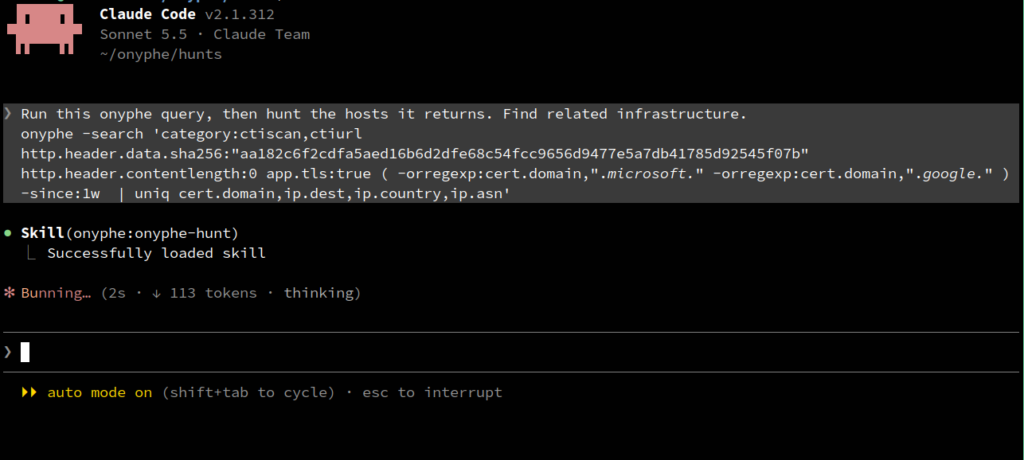
onyphe -search 'category:ctiscan http.header.data.sha256:"aa182c6f2cdfa5aed16b6d2dfe68c54fcc9656d9477e5a7db41785d92545f07b"   http.header.contentlength:0 app.tls:true ( -orregexp:cert.domain,".*microsoft.*" -orregexp:cert.domain,".*google.*" )
-since:1w  | uniq cert.domain,ip.dest,ip.country,ip.asn'
(Run it on a single line. It’s wrapped above to fit the page.)
Taking it apart:
http.header.data.sha256is a hash of the whole HTTP response header block. This particular one is the bare404that a Cobalt Strike listener sends back to anything that isn’t a beacon. ONYPHE also keeps an MD5 of the same header block,5293315563ba2448348295a4e1571a82, and that’s the one you’ll see from Step 1 onwards. Same header, shorter hash.http.header.contentlength:0andapp.tls:trueask for an empty body served over HTTPS, which is how the listener is normally deployed, and the TLS cert gives us something to pivot on.- The
-orregexp:oncert.domainkeeps only certificates whose domain contains microsoft or google. That’s the impersonation filter, and it’s the part doing the interesting work. | uniq …is a stage of OPP, the ONYPHE Processing Pipeline, and it collapses the documents down to one line per domain and host.
All of that runs as a single query because ctiscan keeps the HTTP headers, the TLS certificate and the network context in the same document. Nothing needs joining up afterwards.
You can watch the candidate population collapse as each filter goes on, over the same week:
| Query | Documents |
|---|---|
| Header hash alone | 443 |
| + empty body | 401 |
| + TLS | 198 |
| + Microsoft/Google certificate | 7 |
The last step is where it stops being a statistic. 198 Cobalt Strike listeners over HTTPS in a week is a crowd, but seven documents claiming to be Microsoft or Google is a lead. Three hosts, to be precise:
googleapi2[.]com         107.172.43[.]189   US   AS36352
microsoft-server[.]top   192.3.139[.]18     US   AS36352
mailmicrosoft[.]com      193.235.207[.]69   CZ   AS174
Two of the three sit on the same hosting provider, AS36352, which ONYPHE labels HostPapa and whois still calls ColoCrossing. That’s worth noting but isn’t much on its own. The certificate is the interesting part: an operator who has gone to the trouble of naming their listener after Microsoft or Google has made a deliberate choice, and deliberate choices are the ones worth pivoting on. That’s the thread we went on to pull.
Handing it to Claude Code
You can install the plugin from inside Claude Code:
/plugin install onyphe --marketplace onyphe/onyphe-ai-skillsOr clone it and run the prerequisite check first:
git clone https://github.com/onyphe/onyphe-ai-skills.git
cd onyphe-ai-skills
./prerequisites.sh
claude plugin marketplace add ./
claude plugin install onyphe
Your API key stays in ~/.onyphe.ini, where the CLI already reads it from. The plugin only ever queries data that ONYPHE already holds, and it never scans anything itself.
Then paste in the query and ask:
Run this onyphe query, then hunt the hosts it returns. Find related infrastructure.
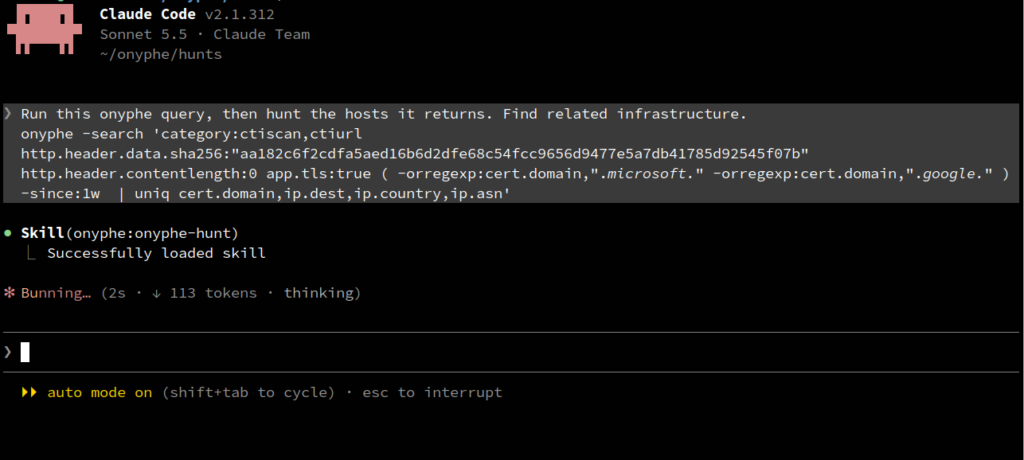
The onyphe-hunt skill confirms the scope with you before it spends anything, and then works through a fixed sequence: check what your licence actually allows, take a baseline of each host, rank that host’s attributes by rarity, run every candidate indicator past the honeypot check, pivot, and build a timeline. Everything ends up in a dated hunt directory — the raw NDJSON, the counts and a findings report — so you can go back and rerun any step you want to argue with.
The run below came to about 90 API requests.
Step 1: letting rarity choose the pivot
With three suspicious hosts in front of you the temptation is to grab the most distinctive-looking thing on them and search for it. The agent doesn’t work that way. For each host it first counts how many other documents share each of that host’s attributes. Here’s part of the table for the Google lookalike:
3          cert.fingerprint.md5     a28b6cefc38065d88d322da4e2fd8503
473        http.header.data.md5     5293315563ba2448348295a4e1571a82
18125      hhhash.fingerprint.md5   81e4f0fa6bb0edb65367494e6c364c9a
1255418    cert.subject.cn          CloudFlare Origin Certificate
166932904  ja3s.fingerprint.md5     15af977ce25de452b96affa2addb1036
Which rather settles the question. The JA3S fingerprint is shared with 167 million documents because it identifies a TLS library and nothing more. The header hash, at 473, identifies the tool rather than the operator running it. At the other end, the certificate fingerprint turns up on three documents, all of them this same host: perfect for tracking it, useless for finding its friends.
(If you’re wondering why it’s 473 here and 443 in the funnel: the seed query counts a rolling seven days, -since:1w, while the agent counts over the last calendar week, -weekago:1. Every count from here on is the calendar week.)
The interesting line is the certificate subject. It’s a Cloudflare Origin certificate, so this listener is sitting behind Cloudflare, and sure enough googleapi2[.]com resolves only to Cloudflare edge addresses. On its own that line is worthless, since 1.25 million documents is basically Cloudflare’s customer base. Put it next to the header hash, though, and it describes something quite specific: a Cobalt Strike listener somebody has gone to the trouble of hiding behind Cloudflare.
The two Microsoft lookalikes didn’t give us anything like that. Their rarity tables are topped by self-signed certificates that nobody else carries, which is handy for tracking those two hosts but no help in finding new ones, and below that it’s the same Cobalt Strike header and TLS stack as everybody else. So they wait for the timeline, and we pull on the Google thread.
So we have something worth pivoting on: the Cobalt Strike header and a Cloudflare Origin certificate, together.
Step 2: pivoting
onyphe-count.sh 'category:ctiscan
  http.header.data.md5:5293315563ba2448348295a4e1571a82
  cert.subject.cn:"CloudFlare Origin Certificate" -weekago:1'
Twenty documents, eight hosts. Every one of them running a Cobalt Strike listener behind Cloudflare, and every origin certificate naming the operator’s own domain:
| Host | Port | Provider | Origin certificate for |
|---|---|---|---|
| 107.172.43[.]189 | 443 | HostPapa, US | googleapi2[.]com |
| 192.210.206[.]196 | 443 | HostPapa, US | winboxtoday[.]com |
| 198.46.217[.]168 | 443 | HostPapa, US | viclian[.]com |
| 198.46.226[.]210 | 443 | HostPapa, US | viclian[.]com |
| 119.45.198[.]250 | 2096, 44445, 55555 | Tencent, CN | a .xyz domain (name omitted) |
| 154.198.162[.]92 | 8443 | Scloud, HK | prompti[.]top |
| 165.154.225[.]239 | 8443 | Scloud, HK | zhimawithyou[.]top |
| 2602:fa59:10:409::1 | 445 | RouterHosting, US | twnic[.]top |
Looking more closely at 198.46.217[.]168 and 198.46.226[.]210 they serve the same origin certificate, down to the serial number, and the same certificate means the same private key. Two machines on two different IPs, sharing a key that only their operator should have. It isn’t proof on its own (a shared reverse proxy or a leaked key would look exactly the same from where we sit), but both hosts also answer with the same Cobalt Strike header, and two independent indicators pointing the same way is about as good as it gets from the outside.
The first of those two is also running a TLS service on port 30999 with a self-signed *.google.com certificate, subject O=Google, L=LA, ST=WA (somebody was in a hurry). No other host in ONYPHE is carrying that certificate this month, so it makes a nice clean tracking identifier for this particular operator.
Step 3: but are any of them honeypots?
Before any of this gets called a finding, each indicator goes through onyphe-hpcheck.sh. We also push a control through it on every hunt, an SSH banner that honeypots are rather fond of imitating, for the simple reason that a check which always answers “not a honeypot” looks exactly like a check that isn’t working.
| Indicator | Documents | Honeypot |
|---|---|---|
| Cobalt Strike header, empty body, TLS | 211 | 0% |
| Header + Cloudflare Origin certificate | 20 | 0% |
*.googleapi2[.]com certificate | 3 | 0% |
Control: SSH-2.0-Paramiko banner | 422 | 99.8% |
(The first row is 211 rather than the funnel’s 198 for the same reason as before: calendar week, not rolling seven days.)
That last row is why we bother with a control at all. Only 222 of those 422 Paramiko documents carry ONYPHE’s honeypot tag, so if you filtered on the tag alone you’d be left with 200 that look like ordinary SSH servers. The plugin’s check, which also catches the untagged ones by their giveaway of exposing exactly 199 services, flags 421. So the check works, and our three Cobalt Strike indicators come through it untouched. The agent does this for every indicator, on every hunt, whether you remember to ask for it or not.
Step 4: how long have they been there?
The agent asks when each host was first seen, and when ctiscan’s window runs out it carries on into datascan history:
| Host | First seen | Last seen |
|---|---|---|
| 192.3.139[.]18 | 2026-09-23 | 2026-10-21 |
| 198.46.226[.]210 | 2026-09-24 | 2026-10-22 |
| 192.210.206[.]196 | 2026-09-25 | 2026-10-20 |
| 107.172.43[.]189 | 2026-09-27 | 2026-10-21 |
| 193.235.207[.]69 | 2026-09-29 | 2026-10-20 |
| 198.46.217[.]168 | 2026-09-30 | 2026-10-20 |
That’s the three original seeds plus the HostPapa hosts from the pivot; we didn’t chase the history of the four in Asia and on IPv6 this time round. ONYPHE first saw all six within eight days of each other, and all six were still answering this week. The certificates are rather older than the hosts, which is usually the more telling half of the story: the googleapi2[.]com origin certificate dates from May 2025, and the viclian[.]com one from 2026-09-03, three weeks before either of its two hosts came online.
Widen the seed query out to a full month and a fourth lookalike appears, 2.59.217[.]108 on port 1443 with a google.com certificate. That one has since gone quiet.
Tips for your own hunts
- Start from the tool, then narrow by intent. A header hash will find you the tool, but it’s the
-orregexp:oncert.domainthat finds the operators trying to look like somebody else. Swap in.*apple.*,.*okta.*, or your own brand, and see who’s wearing your name this week. - Ask for hosts, not documents. Every host gets scanned several times a week, so a document count is always larger than the thing you actually want to put in a report. Finish the query with
| uniq ip.dest, or just ask the agent how many distinct hosts there are. - Let the rarity table pick the pivot rather than picking it yourself. Ask “what’s rare on this host?” The table counts documents, not hosts, so turn the number into hosts before you get excited, but anything that comes down to two to twenty-five hosts is usually worth pivoting on. Anything shared by thousands is a library or a hosting provider and will tell you nothing about an operator on its own, though, as the Cloudflare certificate showed, it can still earn its place as the second term of a query.
- Look at the certificate before anything else. Lookalike domains, placeholder subject fields, reused origin certificates, copied
*.google.comsubjects: every one of those is a choice somebody made, which is exactly what you want from a pivot. The server software, by contrast, mostly just tells you what the server software is. - Confirm on two indicators. A shared header hash puts two hosts in the same toolset; a shared certificate serial puts them in the same hands. Those aren’t the same claim, so ask the agent to confirm each member of a cluster on two independent indicators before you write anything down.
- Ask for the timeline. “When was each of these first seen?” The agent follows the history back into datascan once ctiscan’s window runs out, and the certificate dates will often pre-date the hosts by weeks.
- Turn a good query into an alert. Once it’s tight enough to trust, the
onyphe-alertskill will save it and email you when a new host matches. - Point it at your own perimeter while you’re there. The same plugin handles attack surface discovery and management:
onyphe-asdbuilds an inventory from a handful of seed domains, andonyphe-asmchecks that inventory against riskscan and vulnscan.
onyphe -alert-add -alert-name "CS behind Cloudflare" -alert-email "you@example.org" \
  'category:ctiscan http.header.data.md5:5293315563ba2448348295a4e1571a82 cert.subject.cn:"CloudFlare Origin Certificate"'
Indicators
| Indicator | Type | Note |
|---|---|---|
| 192.3.139[.]18 | IPv4 | microsoft-server[.]top, self-signed |
| 193.235.207[.]69 | IPv4 | mailmicrosoft[.]com, self-signed O=Microsoft, OU=Digicert |
| 107.172.43[.]189 | IPv4 | googleapi2[.]com behind Cloudflare |
| 198.46.217[.]168 | IPv4 | viclian[.]com behind Cloudflare; fake *.google.com on 30999 |
| 198.46.226[.]210 | IPv4 | viclian[.]com behind Cloudflare (same certificate) |
| 192.210.206[.]196 | IPv4 | winboxtoday[.]com behind Cloudflare |
| 119.45.198[.]250 | IPv4 | .xyz domain behind Cloudflare |
| 154.198.162[.]92 | IPv4 | prompti[.]top behind Cloudflare |
| 165.154.225[.]239 | IPv4 | zhimawithyou[.]top behind Cloudflare |
| 2602:fa59:10:409::1 | IPv6 | twnic[.]top behind Cloudflare |
| 2.59.217[.]108 | IPv4 | google[.]com certificate, port 1443, seen last month |
| aa182c6f2cdfa5aed16b6d2dfe68c54fcc 9656d9477e5a7db41785d92545f07b | header SHA-256 | Cobalt Strike empty 404 |
| 5293315563ba2448348295a4e1571a82 | header MD5 | Cobalt Strike empty 404 (same header) |
| 26:55:ba:70:66:71:93:d0:23:d3:17:06:38:c7:ea:99:91:15:25:bc | certificate serial | viclian[.]com origin certificate |
| 739919d043fa817fe6174487c632e729 | certificate MD5 | fake *.google.com, port 30999 |
All observed in ONYPHE ctiscan and datascan between 2026-09-23 and 2026-10-23.
Get it
/plugin install onyphe --marketplace onyphe/onyphe-ai-skillsThe plugin is free and open source (BSD 3-Clause) and runs on your own ONYPHE API key. Bring a query you already trust, ask Claude Code to hunt from it.
